 Suro Senen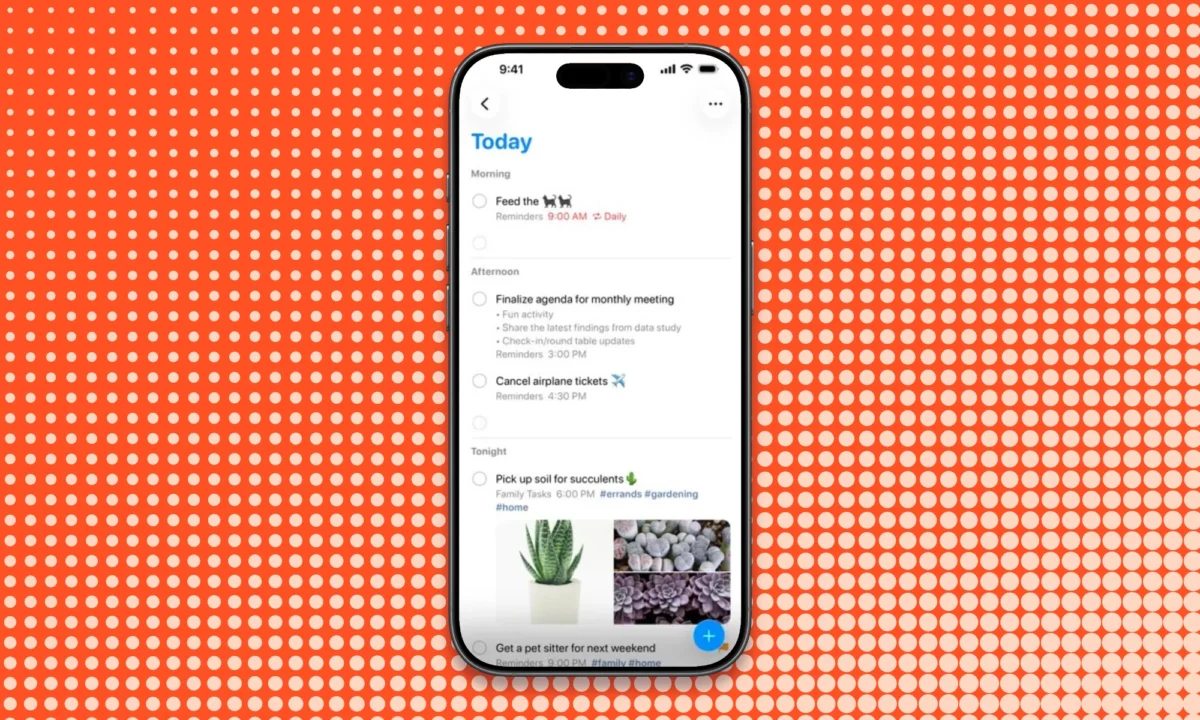
If you have just unboxed a brand-new iPhone, your device is already a powerhouse of pre-installed utility. However, the true potential of the hardware—the advanced haptics, the high-resolution camera, and the seamless integration of the Apple ecosystem—is often unlocked only when you curate your digital workspace with the right third-party applications.

While many users reflexively download the most popular social media platforms, the most effective iPhone setups are built on utility, security, and specialized problem-solving. Whether you are looking to streamline your workflow, manage your physical health, or simply squeeze more creative control out of your smartphone, these 17 applications represent the current gold standard for iOS users.

The Foundation: Productivity and Security
Before exploring niche tools, every new iPhone user should establish a robust digital infrastructure.

1. Bitwarden (Password Management)
Security is non-negotiable in 2026. While Apple’s native password keychain has improved, Bitwarden remains the superior choice for users who operate across multiple operating systems. Its free tier is exceptionally generous, offering unlimited passwords and passkeys across an unlimited number of devices. Because it synchronizes effortlessly between your iPhone, Windows PC, and tablet, it eliminates the "silo effect" that often forces users to pay for premium services.

2. Apple Reminders (Task Management)
Often overlooked in favor of flashier, subscription-based productivity apps, Apple Reminders has quietly evolved into a powerhouse. It handles complex task organization, shared lists, and location-based alerts with zero latency. Because it is built directly into the iOS kernel, it works flawlessly with Siri. Before spending money on a high-end task manager, users should test whether Reminders’ native ability to use tags and Smart Lists can handle their current workflow.

3. Craft (Notes and Organization)
When a quick thought evolves into a long-form document, standard note-taking apps often falter. Craft shines by providing a flexible canvas that grows with your ideas. It bridges the gap between a simple scratchpad and a project management tool. By allowing users to nest information and sync across all Apple devices and the web, it serves as a digital workspace for those who need structure without the bloat of enterprise software.

Intelligence and Information Discovery
The way we search for information on mobile devices has shifted from simple keyword queries to conversational and synthesized results.

4. ChatGPT (AI Assistant)
Treating ChatGPT as a mere search box is a mistake. On an iPhone, the app becomes a multimodal companion. You can use your camera to photograph a broken appliance, a homework problem, or a plant, and ask the model for an explanation or a solution. By moving between text, voice, and visual inputs, it integrates into your day-to-day life, turning your phone into an intuitive assistant rather than just a passive display.

5. Arc Search (Browser)
Arc Search represents a fundamental departure from the standard browser experience. Designed for those who open a browser with a specific question rather than a destination, it uses AI to summarize page content and strip away the clutter of modern web design. It is not a Safari clone; it is an entirely different approach to information retrieval that prioritizes speed and clarity over traditional tab management.

6. Wikipedia (Reference)
The Wikipedia app for iPhone offers a polished, distraction-free environment that is superior to reading articles in a mobile browser. It facilitates "rabbit hole" learning with a clean interface, allowing you to save articles for offline reading and discover related topics without ads or invasive trackers. It remains the most reliable source for human knowledge, refined for a tactile, mobile-first experience.

Communication and Navigation
Connectivity and logistics remain the primary functions of any smartphone.

7. WhatsApp (Messaging)
In a fragmented mobile landscape, WhatsApp is the great equalizer. With its massive cross-platform reach, it remains the most reliable choice for international communication and group chats that include both iPhone and Android users. It removes the friction of platform-specific messaging protocols, ensuring that your social reach is never limited by the brand of phone your contacts use.

8. Google Maps (Navigation)
While Apple Maps has made significant strides, Google Maps remains the definitive tool for exploration. Its strength lies in its comprehensive data layer—transit times, business reviews, real-time foot traffic, and high-quality offline map capabilities. For those who travel or explore unfamiliar urban environments, the depth of Google’s data provides a level of confidence that is hard to replicate.

Specialized Tools for Professionals and Enthusiasts
Once the basics are covered, the best iPhone apps are those that target specific "pain points."

9. Flighty (Travel)
For the frequent flyer, Flighty is an essential safeguard. It tracks the inbound path of your aircraft, providing insights into potential delays long before the airport monitors update. By aggregating aircraft data, gate changes, and airport navigation, it acts as a personal concierge. While the Pro subscription is significant, the peace of mind for heavy travelers is unparalleled.

10. Halide Mark III (Photography)
Apple’s computational photography is excellent, but it often makes creative decisions for you. Halide Mark III gives photographers the manual control they crave. With RAW capture and "Process Zero"—which strips away the standard aggressive smartphone image processing—it allows photographers to produce images that look like they were shot on a professional camera. It is a tool for those who want to reclaim their artistic intent.

11. Procreate Pocket (Drawing)
Procreate Pocket is a rarity in 2026: a high-end creative tool that functions on a one-time purchase model rather than a subscription. While the screen size of an iPhone naturally limits the scale of projects compared to an iPad, the app provides a desktop-class brush engine, layers, and robust export features. It is the perfect digital sketchbook for artists on the go.

12. Pocket Casts (Podcasting)
As podcast subscriptions grow, the standard podcast player can become a chaotic inbox. Pocket Casts solves this through superior organization and queue management. It allows power users to handle dozens of shows with custom filters and episode management, ensuring that your listening experience remains intentional rather than overwhelming.

Health, Wellness, and Leisure
Modern smartphones are increasingly used to balance the chaos of digital life.

13. Carrot Weather
Carrot Weather provides deep, granular meteorological data with an optional layer of "personality" that can be adjusted to suit your taste. Beyond the sarcasm, its true value lies in its widget support and highly customizable data views. It is the gold standard for weather enthusiasts who want to see more than just a temperature and a sun icon.

14. Gentler Streak (Fitness)
The "fitness ring" culture can often lead to burnout. Gentler Streak takes a more balanced, psychological approach to health. It monitors your workout load and recovery, explicitly suggesting rest when it detects that you are pushing too hard. It turns fitness into a sustainable lifestyle choice rather than an obsessive numbers game.

15. Runna (Running)
For those transitioning from casual jogging to competitive running, Runna offers structured, coach-led plans. Its "Adapt for Heat" feature is particularly impressive, adjusting your training intensity based on environmental conditions. It provides the structure of a professional coach, making it the premier choice for anyone training for a specific finish line.

16. Vän (Mindfulness)
In an industry crowded with expensive, subscription-heavy meditation apps, Vän is a breath of fresh air. It utilizes haptic patterns to guide breathing and focus. By removing the need to stare at a screen, it provides a truly meditative experience that is simple, free, and functional offline.

17. Delta (Retro Gaming)
The recent liberalization of App Store policies has allowed for Delta, a robust emulator for classic Nintendo hardware. Whether you are revisiting the 8-bit era or playing Game Boy Advance classics, Delta’s support for physical controllers and save states makes the iPhone a surprisingly capable retro handheld. It is a reminder that, beyond work and productivity, the iPhone is a device meant for pure enjoyment.

Choosing Your Toolkit: A Summary Table
| App | Best For | Pricing Model |
|---|---|---|
| ChatGPT | AI Assistant | Free / Optional Subscription |
| Arc Search | Browser | Free |
| Bitwarden | Passwords | Free / Optional Paid Features |
| Apple Reminders | Tasks | Free (Included) |
| Craft | Notes | Free / Optional Subscription |
| Messaging | Free | |
| Google Maps | Navigation | Free |
| Flighty | Travel | Free / Pro Subscription |
| Carrot Weather | Weather | Free / Subscription |
| Gentler Streak | Recovery | Free / Subscription |
| Runna | Running | Free / Premium |
| Halide Mark III | Photography | Trial / One-time or Sub |
| Procreate Pocket | Drawing | One-time Purchase |
| Pocket Casts | Podcasts | Free / Optional Subscription |
| Wikipedia | Reference | Free |
| Vän | Mindfulness | Free |
| Delta | Gaming | Free |
Implications and Final Thoughts
The "best" iPhone setup is not necessarily the one with the most apps, but the one that best reflects your personal habits. The key to a clutter-free home screen is to identify the specific problems you face—whether it is a lack of control over your camera, a disorganized podcast queue, or the need for a more secure password vault—and selecting a tool that addresses that problem with minimal friction.

When evaluating these apps, consider the "subscription trap." While many of these tools offer premium tiers, always start with the free version. Only upgrade when you can clearly articulate the limitation that is hindering your productivity or enjoyment. By adopting a "problem-first" approach to your App Store downloads, you ensure that your iPhone remains a tool that serves your life, rather than a distraction that consumes it.

 Azzam Bilal Chamdy
 Laily UPN