 Raul Delapena Setiawan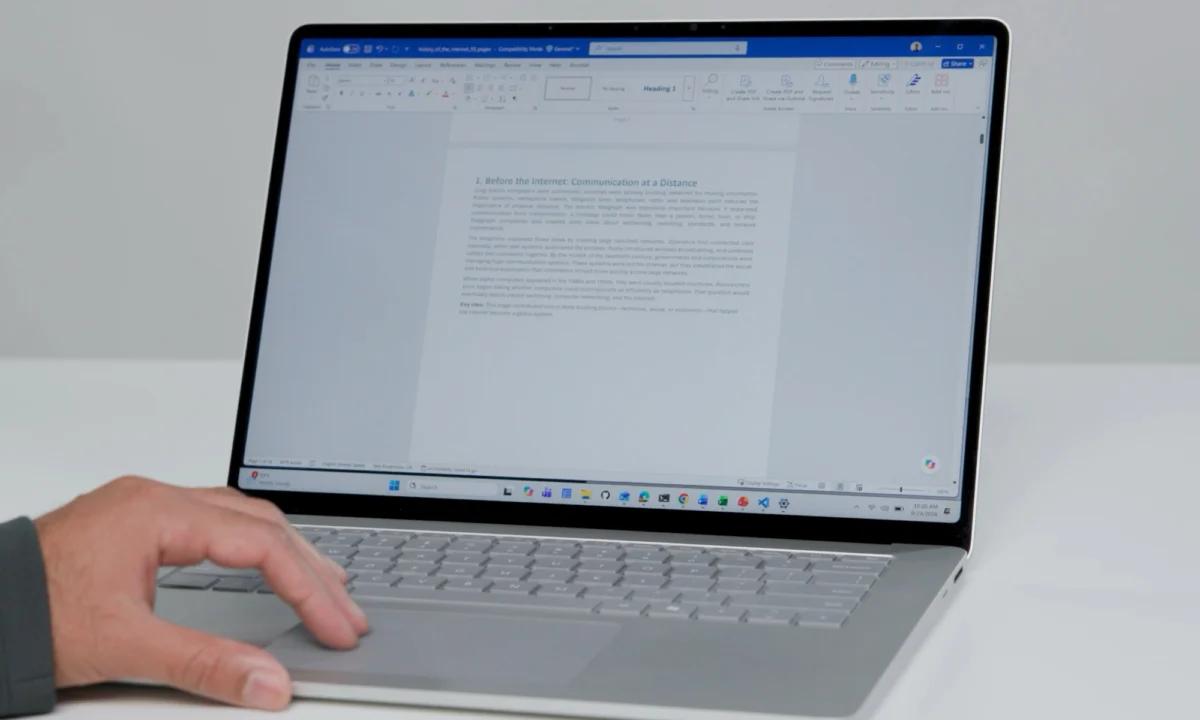
For years, Windows laptop users have looked across the aisle at macOS with a hint of envy, specifically regarding the fluidity of the trackpad experience. While Windows has made massive strides in hardware precision, the software layer—specifically the way we navigate long-form content—has often felt tethered to legacy mechanics. That is finally changing.
In a recent announcement, Microsoft unveiled a suite of three new touchpad features designed to streamline how we interact with long documents, sprawling codebases, and infinite-scroll webpages. By integrating accelerated scrolling, edge-scrolling, and single-finger navigation, Microsoft is aiming to fundamentally alter the ergonomics of the modern digital workspace.
The Core Problem: The "Swipe-and-Lift" Fatigue
If you are a student, a developer, or a content creator, you are intimately familiar with the "swipe-and-lift" cycle. You place your fingers on the trackpad, scroll to the bottom of the device’s surface, lift your fingers, return to the top, and repeat. It is a repetitive, micro-inefficient process that contributes to both physical fatigue and a disjointed mental workflow.
This friction is precisely what Microsoft’s latest updates seek to eliminate. By analyzing human-factor research, the Windows team has identified that the goal isn’t just to make scrolling faster—it’s to make it more intuitive, reducing the cognitive load required to move through dense information.

Chronology: From Concept to Implementation
The rollout of these features follows a strategic, phased approach, highlighting Microsoft’s shift toward a more responsive development cycle for Windows 11.
- Early 2026 (Research Phase): Microsoft’s internal human factors team began studying touchpad interaction metrics, focusing on the delta between physical finger movement and on-screen content velocity.
- October 23, 2026: Marcus Ash, a key figure within the Windows division, officially teased the three new features via social media, signaling a shift in the Windows user experience (UX) roadmap.
- Current Status: Accelerated scrolling has been pushed to the stable channel, allowing users to experience the improved velocity dynamics immediately.
- Coming Week: Edge-scrolling and single-finger scrolling are scheduled to debut for Windows Insider testers, marking the beginning of the beta-testing phase before a wider public release.
A Deep Dive into the Three Pillars of Navigation
1. Accelerated Scrolling: The Velocity Shift
Accelerated scrolling is the most immediate upgrade. In traditional Windows scrolling, the speed of the page movement is often strictly linear, tied directly to the physical movement of your fingers. With the new update, the system introduces a "velocity-sensitive" curve. A quick, sharp swipe across the touchpad will now initiate a momentum-based scroll, allowing the page to continue gliding even after your fingers have stopped. This brings Windows parity to the buttery-smooth scrolling experience that Mac users have enjoyed for over a decade.
2. Edge Scrolling: Beyond Physical Boundaries
Perhaps the most innovative addition is "Edge Scrolling." Anyone who has ever been stuck at the edge of a trackpad while trying to navigate a massive spreadsheet knows the frustration of "re-centering." Edge scrolling effectively extends the virtual surface area of your trackpad. Once your fingers reach the boundary, the operating system registers the intent to continue, maintaining the momentum of the scroll until you actively lift your fingers. It transforms the physical limit of the hardware into a continuous, fluid interface.
3. Single-Finger Scrolling: Simplifying the Gesture
While multi-touch gestures have been the standard for years, Microsoft recognized that many users find two-finger scrolling cumbersome during long-term use. The new single-finger scrolling mode is an accessibility-forward update that simplifies the input requirement. By allowing the system to distinguish between a "navigation swipe" and a "click/selection" with just one digit, Microsoft is opening the door for more comfortable, one-handed laptop operation.

Supporting Data: Why Ergonomics Matter
The push for these features is not merely about aesthetic preference; it is rooted in long-term health and productivity metrics. According to ergonomic studies cited by interface designers, the "repetitive strain" associated with trackpad use is often caused by the need for constant, high-frequency recalibration—the "lift and reset" motion.
By increasing the efficiency of each swipe, Microsoft is effectively reducing the total number of physical movements required to navigate a 50-page document by an estimated 30–40%. For a developer scrolling through thousands of lines of code or a researcher parsing a lengthy PDF, these micro-efficiencies aggregate into a significantly lower physical strain over the course of an eight-hour workday.
Official Responses and Human Factors Research
Microsoft’s approach to these updates was heavily influenced by "human factors research"—a field of engineering that focuses on how technology can be optimized to fit human physical capabilities and psychological comfort.
Marcus Ash, in his official communication regarding the update, emphasized that these features were not just "tacked on" but were the result of extensive prototyping. The fine-tuning of the acceleration curves is perhaps the most critical element. Too much acceleration, and the user feels a loss of control; too little, and the feature feels sluggish. Microsoft’s testing indicates that the current calibration strikes a balance between rapid movement and granular precision, ensuring that users can stop exactly where they need to with a quick, deliberate tap.

The Broader Implications for Windows 11
This update is a microcosm of a larger trend within Microsoft: the refinement of the "Windows 11 experience." For years, the criticism of Windows was that it favored power and complexity over the "polishing" of the user interface. By focusing on the minutiae of how we scroll, Microsoft is acknowledging that the OS is only as good as its most frequent interaction.
Furthermore, this development highlights the importance of the Windows Insider program. By gating the more experimental features—like edge scrolling—to the Insider community, Microsoft ensures that they can collect telemetry data on how different trackpad hardware (from budget laptops to high-end workstations) responds to these new logic paths.
A New Standard for Hardware-Software Synergy
As we move into 2027, the line between hardware and software continues to blur. These touchpad updates suggest a future where the operating system adapts to the user’s specific habits. Could we eventually see AI-driven scrolling that predicts how far you want to go based on your past reading speed? While that remains speculative, the current move toward smarter, more fluid navigation is a clear win for the Windows ecosystem.
Conclusion: A Smoother Road Ahead
For the average Windows user, these changes may seem incremental, but their cumulative effect on productivity is undeniable. The "swipe-and-lift" cycle has been an accepted burden of computing for far too long. With accelerated scrolling, edge-scrolling, and single-finger navigation, Microsoft is finally addressing a long-standing pain point.

As these features roll out to the public, they serve as a reminder that the most impactful updates aren’t always major UI overhauls or new AI integrations—sometimes, the best improvement is simply making the everyday act of reading a document feel a little less like work. Whether you are a professional coder, a student, or a casual browser, your workflow is about to become a whole lot smoother. The next time you find yourself scrolling through a document that seems endless, you can breathe a sigh of relief: your touchpad is finally working with you, not against you.

 Pevita Pearce
 Dwi Wanna