
 Raul Delapena Setiawan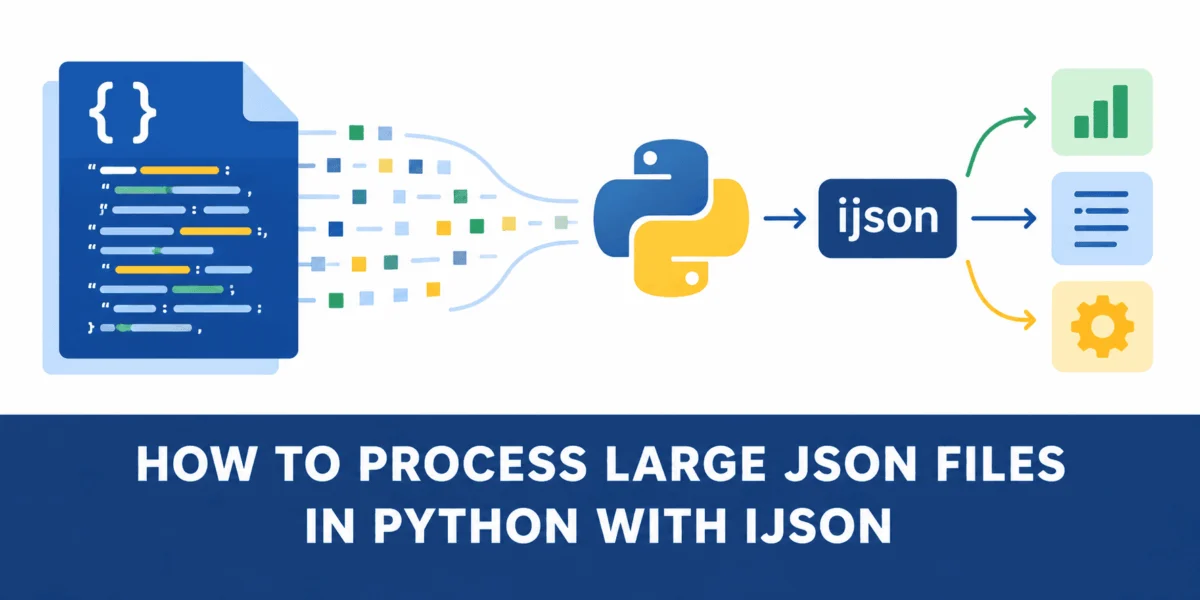
In the modern data-driven landscape, JSON (JavaScript Object Notation) has cemented its position as the lingua franca of web APIs, configuration management, and large-scale data storage. Its human-readable structure and hierarchical flexibility make it an ideal format for data exchange. However, as datasets scale into the gigabyte range, the standard tools provided by Python’s core libraries often encounter a significant bottleneck: the memory wall.
For most Python developers, the standard json module is the first point of contact. While it excels at handling small-to-medium configuration files, it operates on an "all-or-nothing" principle. It parses the entirety of a JSON document into memory before a single line of application logic can be executed. When dealing with massive datasets, this behavior can lead to catastrophic memory exhaustion, application crashes, or, at best, sluggish performance due to heavy disk swapping.
This article explores how developers can bypass these limitations by adopting an iterative streaming approach, specifically focusing on the ijson library, and demonstrates how this shift can reduce memory footprints by nearly 95% without sacrificing functional integrity.
The Anatomy of the Problem: Why json.load() Fails at Scale
To understand why traditional parsing struggles with scale, we must look at how Python handles object creation. When you call json.load(), the Python interpreter performs a complete traversal of the file, converting every string, number, array, and nested object into its native Python equivalent.
If your dataset is 500MB on disk, the deserialization process doesn’t just consume 500MB of RAM. Because a Python dictionary or list is a more complex object than its raw JSON text equivalent, the memory overhead is often three to five times the size of the original file. A 500MB file can easily demand 2GB of RAM, quickly exceeding the limits of standard cloud instances or local workstations.
Chronology of a Failed Process
- I/O Bound Startup: The interpreter initiates a blocking read operation on the file system.
- Full Deserialization: Every byte is read into memory; every bracket and comma is interpreted as a data structure boundary.
- Object Bloat: The Python engine builds a massive graph of objects. Every coordinate point in a spatial dataset—even those unnecessary for the current task—is stored as a float object in a list.
- Processing Latency: Only after the entire file is fully mapped into memory does the execution loop begin.
Supporting Data: A Case Study with San Francisco City Lots
To quantify the difference between monolithic loading and iterative streaming, we can use the San Francisco City Lots dataset, a GeoJSON file structure commonly used in urban planning and GIS applications.
The Setup
We utilize a dataset of approximately 181 MB. The data is structured as a FeatureCollection, containing an array of thousands of individual "features" (parcels of land). Each feature contains a properties dictionary and a geometry object containing complex coordinate polygons.
The Test Case:
Our goal is to count how many parcels are located on "Market Street" and extract the IDs of the first five occurrences. Critically, we do not need the spatial geometry data, yet the standard json.load() method forces us to parse it anyway.
Comparative Performance Metrics
| Metric | json.load() (Monolithic) |
ijson.items() (Streaming) |
|---|---|---|
| Peak Memory Usage | ~808.9 MiB | ~46.1 MiB |
| Parsing Strategy | Load into RAM | Stream to CPU |
| Resource Efficiency | Low | High |
| Memory Savings | 0% | ~94.3% |
As the table demonstrates, the difference in memory utilization is not merely incremental—it is foundational. By moving from a "load-everything" model to a "stream-and-discard" model, we move from being memory-bound to being CPU-bound, which is a much safer position for high-performance computing.
Implementing Iterative Parsing with ijson
The solution to the "memory wall" is ijson, an iterative JSON parser. Unlike the standard library, ijson does not build a giant tree of the document. Instead, it acts as a generator, yielding items as it encounters them in the stream.
Step-by-Step Implementation
-
Installation:
pip install ijson -
The Streaming Logic:
The core of the strategy lies in theijson.items()function. By specifying a prefix, such as"features.item", we tell the parser: "Find every object within thefeaturesarray and return them one by one."import ijson with open("citylots.json", "rb") as f: # Each feature is yielded one at a time for feature in ijson.items(f, "features.item"): # Process locally if feature["properties"].get("STREET") == "MARKET": # logic here
Why This Works
The memory footprint of this approach is constant. Whether the file is 100MB or 100GB, the memory usage remains low because the program only ever holds one "feature" object in memory at any given time. Once the loop processes the current feature, it is discarded, and the memory is reclaimed by the Python garbage collector.
Implications for Production Architecture
The transition to iterative processing has profound implications for software architecture and DevOps.
1. Vertical Scaling Efficiency
By reducing memory usage from 800MB to 46MB, developers can run significantly smaller, cheaper cloud instances. This reduces infrastructure costs for data-heavy applications. In a containerized environment (like Kubernetes), this prevents "Out of Memory" (OOM) kills, ensuring higher service reliability.
2. Time-to-First-Result
In the monolithic approach, the application remains idle while the entire file is parsed. With ijson, the application starts processing the very first record almost immediately after the file stream opens. This "time-to-first-result" is critical for dashboards, real-time logging systems, and streaming analytics platforms.
3. Resilience to Malformed Data
Streaming parsers are often more resilient when dealing with truncated or corrupt files. If a multi-gigabyte file is truncated at the end, the monolithic json.load() will fail entirely because it cannot parse a complete document. A streaming parser, however, can successfully process all valid objects that appeared before the point of corruption.
Official Recommendations and Best Practices
When transitioning your codebase to iterative JSON processing, consider the following best practices:
- Use Binary Mode: Always open your files in binary mode (
"rb").ijsonperforms more efficiently when it handles the raw byte stream directly rather than dealing with the overhead of Python’s text encoding layer. - Understand the Pathing: The prefix string (e.g.,
features.item) is the most crucial part of the code. Familiarize yourself with the JSON structure before writing your parser. If the structure is complex or nested, useijson.parse()for lower-level, event-driven control. - Don’t Over-Optimize: While
ijsonis memory-efficient, it can be slower in terms of raw execution time compared to the C-optimized standardjsonmodule if the file is small enough to fit comfortably in RAM. Useijsonas a tool for scale, not as a default for every small configuration file. - Combine with Generators: Pair
ijsonwith Python generators (yield) to keep your data pipeline modular. This allows you to chain your processing logic (e.g., filtering, transforming, then loading) in a way that keeps the entire memory pipeline lean.
Conclusion: Rethinking Data Consumption
The challenge of processing large JSON files is rarely a limitation of the data format itself, but rather a limitation of the tools we choose to employ. The "load everything" paradigm is a relic of an era where datasets were small and memory was inexpensive. In an age of Big Data, we must adopt more sophisticated consumption models.
As illustrated by the San Francisco City Lots dataset, the shift to iterative streaming is not just an optimization—it is a necessity for robust, scalable engineering. By adopting libraries like ijson, developers can break the memory wall, reduce infrastructure costs, and build applications that are as resilient as they are performant.
The next time you face a "Memory Error" or a sluggish application, ask yourself: "Am I loading the whole world, or just the part I need?" If you are loading the whole world, it is time to start streaming.


 Siti Muinah
 Jia Lissa