
 Sagoh
Sagoh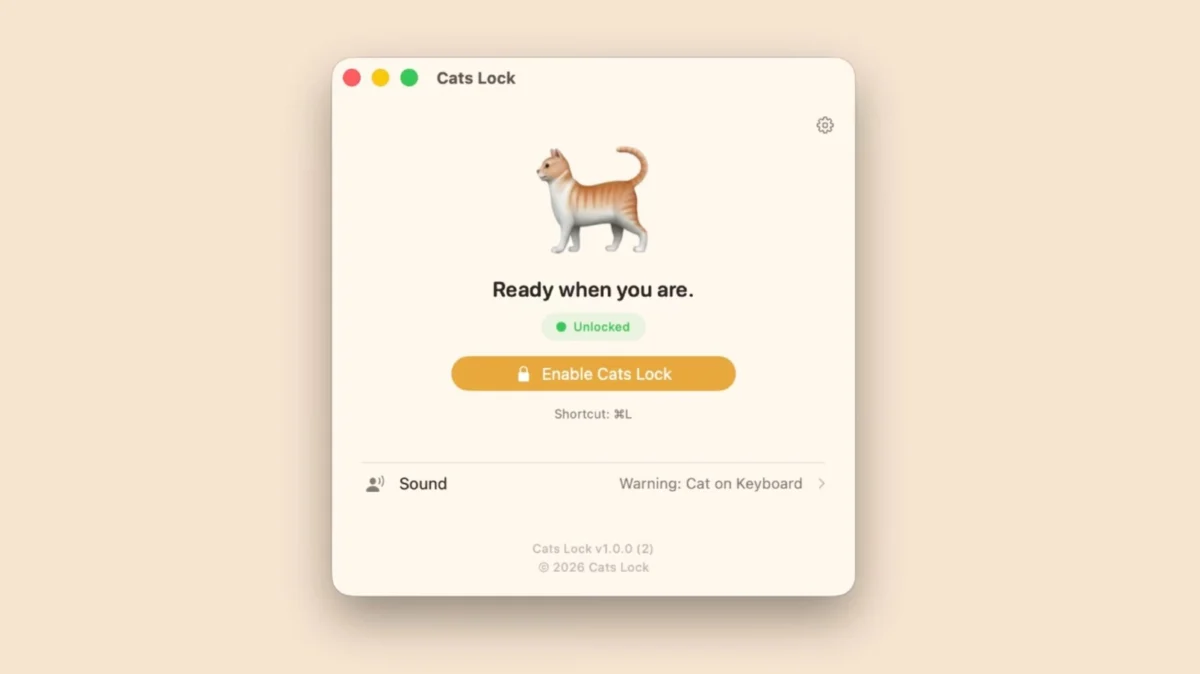
For millions of remote workers and digital creatives, the "co-worker" sharing their desk is often covered in fur, prone to sudden bursts of energy, and possesses a complete lack of regard for professional boundaries. Whether it’s an urgent email sent with a string of gibberish or a system-wide keyboard shortcut triggered mid-presentation, the "cat-on-keyboard" phenomenon is a universal hazard in the modern home office.
This weekend, indie developer Todd Alexander sought to address this high-stakes domestic technical challenge with the release of Cats Lock, a $3 utility now available on the macOS App Store. Designed specifically for the feline-adjacent professional, the app promises to turn your Mac into a fortress, protecting your workflow from the unpredictable pitter-patter of paws.
The Genesis of the Problem: Why Cats Love Keyboards
To understand the necessity of Cats Lock, one must first look at the unique relationship between domestic cats and personal computers. From a feline perspective, a laptop is an ideal piece of furniture: it is elevated, it emits a soothing warmth, and, most importantly, it is the center of its human’s attention.
Veterinary behaviorists have long noted that cats seek out "high-value" areas where their owners spend significant time. By sitting on a keyboard, a cat is effectively claiming a territory that is scent-marked by its human. Unfortunately, this biological instinct is fundamentally incompatible with the delicate sensitivity of modern mechanical or scissor-switch keyboards.
Before the advent of dedicated software solutions, users were forced to rely on rudimentary hacks—placing decoy keyboards nearby, using physical plastic covers, or simply accepting that a stray "qweerwtyuiop" might occasionally be sent to a client. Cats Lock represents a shift toward a software-defined solution, treating the keyboard as a volatile input device that requires a security protocol.
Chronology: The Development and Release
The journey to the release of Cats Lock began as a personal project for developer Todd Alexander. Recognizing that the market lacked a streamlined, native solution for macOS that balanced security with unobtrusiveness, Alexander began development on the tool early in 2024.
- Q1 2024: Alexander identifies the need for a low-latency keyboard blocking tool that integrates seamlessly with the macOS menu bar.
- Summer 2024: Alpha testing begins, focusing on the "Stealth Mode" functionality, which allows the app to run without intrusive UI elements that might distract the user during meetings or video playback.
- September 2024: The app undergoes final optimization for macOS 14.0 (Sonoma) and later versions, ensuring that it leverages modern Apple Silicon efficiency.
- October 2024: Cats Lock officially hits the App Store, priced at $2.99, marking the transition from a niche personal script to a public utility.
Supporting Data: The High Cost of Accidental Input
While the concept may seem whimsical, the impact of accidental keyboard input is statistically significant for power users. According to informal surveys conducted within remote work subreddits and developer forums, nearly 60% of cat-owning remote workers report having sent an unintended message to a coworker or deleted a file due to feline interference.
The cost of these incidents ranges from minor social embarrassment to significant data loss. In a corporate environment, where Slack, Microsoft Teams, and Discord are the primary channels of communication, an accidental "send" button trigger can range from the comical to the career-threatening.
Technical Specifications of Cats Lock:
- Platform: macOS 14.0 (Sonoma) or newer.
- Security Protocol: Global keyboard input suspension.
- Deterrence Features: Customizable auditory warnings; user-recorded deterrent audio.
- Stealth Mode: Zero-latency background execution without screen overlays.
- Power Management: Automatic unlocking upon screen sleep or manual override.
Official Responses and Developer Insight
In an exclusive look at the app’s functionality, Todd Alexander highlighted the importance of user choice in the design process. "The goal wasn’t just to lock the keyboard," Alexander noted. "It was to make the tool invisible until it is needed."
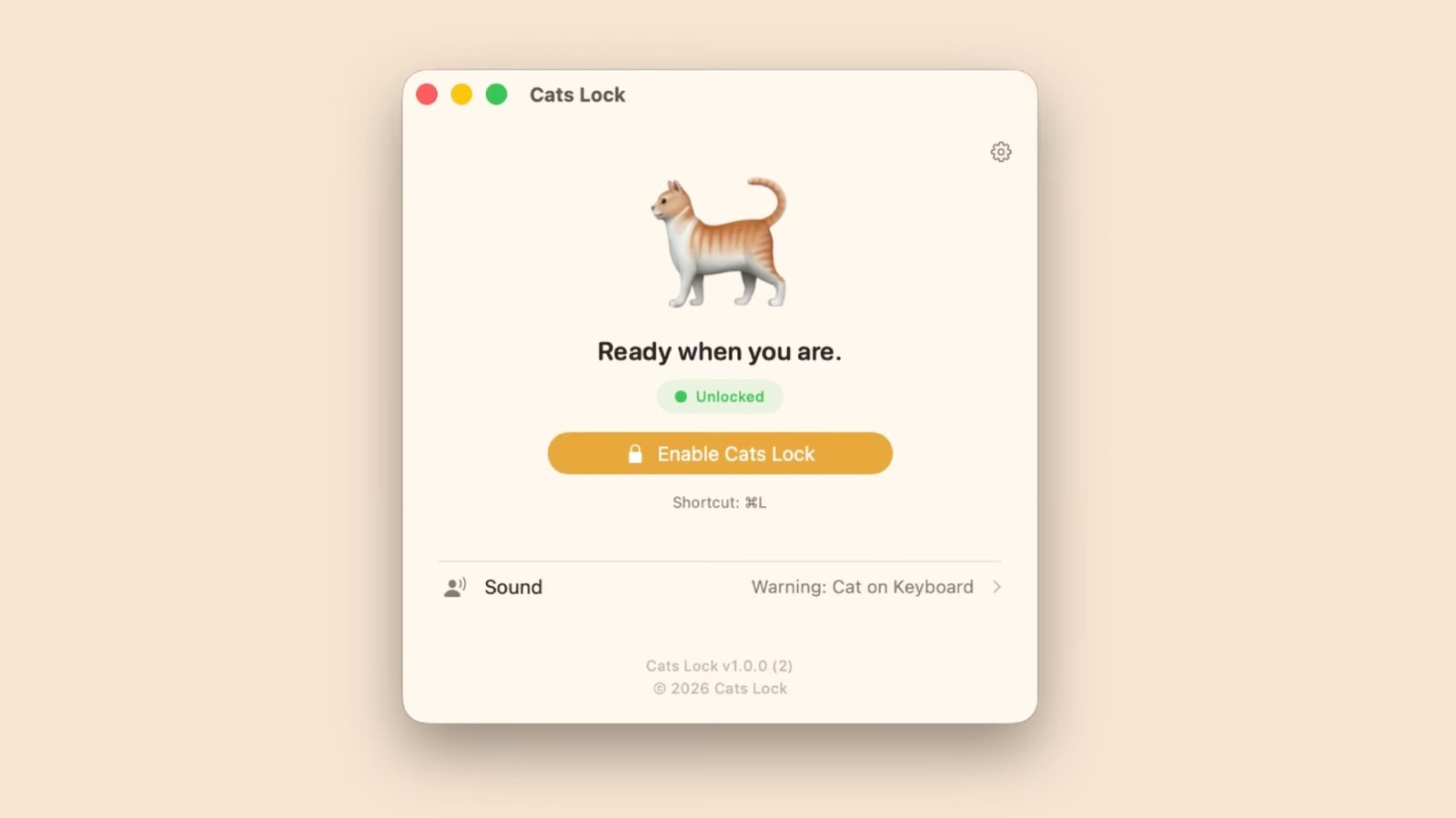
By allowing users to record their own deterrent sounds, the app acknowledges that every cat is different. While one cat might be discouraged by a high-pitched electronic chime, another might only respond to the sound of a vacuum cleaner or a specific vocal command from their owner. This level of customization has already garnered positive early reviews from the Mac community, who praise the app for its "set it and forget it" nature.
Furthermore, the app’s "Stealth Mode" addresses the primary concern of power users: screen real estate. Previous attempts at similar software often featured large, obstructive popups that signaled the keyboard was locked. Cats Lock removes this, ensuring that a user in a Zoom meeting can instantly disable their input devices without their audience realizing why.
Implications: The Future of Pet-Proof Computing
The launch of Cats Lock signals a broader trend in software development: the rise of the "hyper-niche" utility. As the lines between personal living spaces and professional work environments continue to blur, developers are finding success in creating tools that solve specific, human-centric problems rather than broad, technical ones.
The Psychological Benefit
Beyond the technical protection, there is a psychological component to Cats Lock. For many cat owners, the constant vigilance required to protect their work is a source of low-level, chronic stress. By offloading this responsibility to an automated system, users can focus more on their work and less on keeping a watchful eye on their pet.
Potential for Expansion
Looking forward, there is potential for Cats Lock to integrate with broader ecosystem features. Could we see integration with macOS "Focus" modes, where the keyboard automatically locks when the system detects a cat’s movement via the webcam’s motion sensors? While that remains a challenge for future iterations, the current version of the app provides a solid foundation for "Pet-Proofing" the modern office.
The "Smart" Home Office
As hardware becomes more expensive and the cost of accidental damage (such as liquid spills or keycap damage from cat claws) rises, software like Cats Lock will likely become a standard installation for pet owners. It represents a shift toward a more proactive approach to hardware maintenance, where software acts as the first line of defense against the physical environment.
Conclusion: A Small Investment for Peace of Mind
At a price point of $3, Cats Lock is positioned as an accessible solution to a problem that has plagued computer users since the inception of the personal computer. By combining ease of use, customizable deterrents, and a clean, non-intrusive UI, Todd Alexander has created a tool that bridges the gap between our digital work lives and our chaotic home lives.
Whether you are a software engineer, a creative writer, or a student, the risks associated with a wandering pet are real. Cats Lock doesn’t just stop your cat from typing; it preserves the sanctity of your work, protects your communication channels, and, perhaps most importantly, allows you to enjoy the company of your pet without the fear of a system-wide disaster.
As the app continues to gain traction on the App Store, it serves as a reminder that the best technology is that which solves the problems we didn’t even realize could be automated. For now, the keyboard is safe, the cat is confused, and the digital workspace is secure.

 Asep Darmawan