 Lina Irawan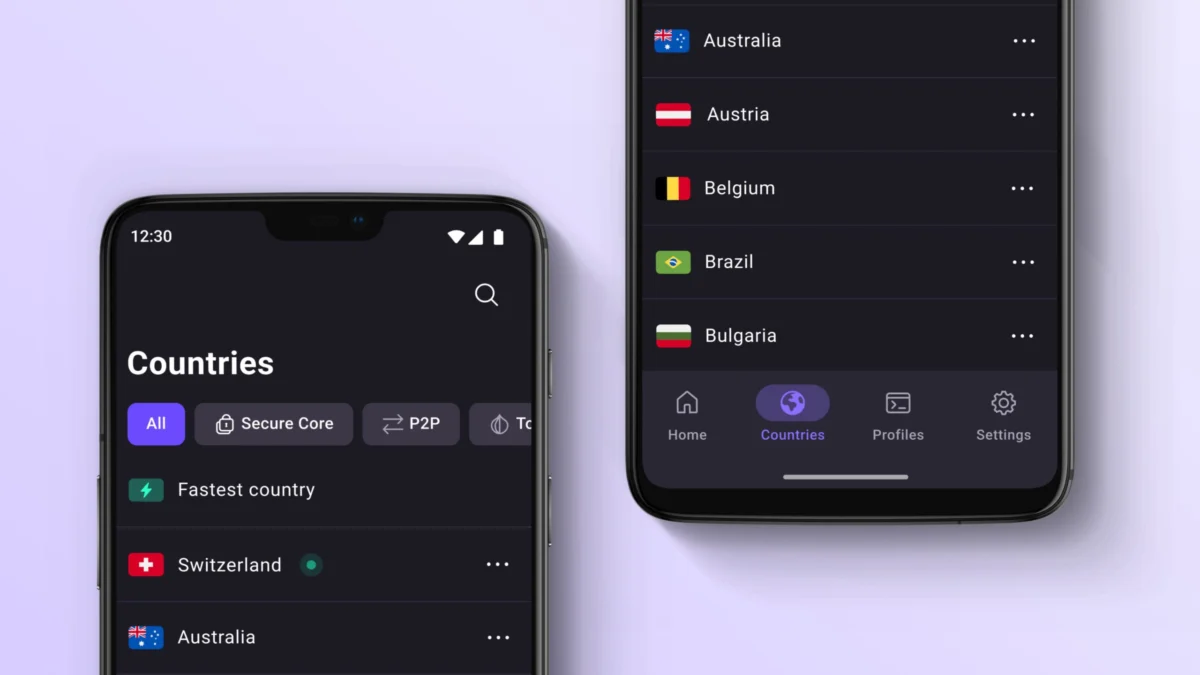
The modern smartphone is no longer just a communication device; it is a pocket-sized workstation, a creative studio, and a command center for your digital life. While the stock software included with your Android device—typically a suite of Google-integrated tools—is capable, it rarely accounts for the nuances of individual workflows. Whether you are a power user looking to automate your daily routines, a student needing better organization, or a privacy-conscious individual seeking to secure your data, the Google Play Store holds the keys to a vastly improved experience.
This guide provides a curated selection of 20 essential Android applications. To ensure relevance and reliability, these selections were curated based on consistent performance, developer transparency, and overwhelming positive sentiment within the Android community. Tested on a Pixel 10a running the latest Android 17 build, these recommendations are designed to help you curate a device that works for you, rather than one you simply work around.

The Methodology: How We Selected the Best
Choosing the right software involves more than just looking at star ratings. Our selection process for this 2026 update focused on four key pillars:
- Utility: Does the app solve a tangible problem that native software ignores?
- Developer Trust: Does the team behind the app prioritize user privacy and timely security patches?
- Community Consensus: We cross-referenced official forums and community hubs (such as Reddit’s r/Android) to ensure real-world reliability.
- Integration: Can these apps coexist with the Android OS without causing battery drain or system instability?
Note: If you are an iOS user looking for a similar transformation, please refer to our dedicated Best iPhone Apps guide.

The Productivity and Organization Suite
1. TickTick: Master Your Schedule
For those who find standard to-do lists insufficient, TickTick offers a holistic approach to life management. It seamlessly blends task management, habit tracking, and a powerful calendar view. The ability to integrate recurring chores with high-priority project milestones makes it a standout.
- Implications: By centralizing your calendar and tasks, you reduce "context switching"—the cognitive drain caused by jumping between multiple apps.
2. Google Keep: The Digital Sticky Note
Complexity is the enemy of capture. Google Keep excels by being fast, lightweight, and perfectly integrated into the Android ecosystem. It is our top recommendation for quick grocery lists, sudden sparks of inspiration, or scanning physical documents.

3. Notion: The Second Brain
When your notes outgrow simple lists, Notion provides the infrastructure for a "second brain." Its block-based system allows you to build databases, project trackers, and wikis. While the mobile experience is best for quick lookups and minor edits, it remains the gold standard for organizing complex information.
Artificial Intelligence: The New Digital Assistants
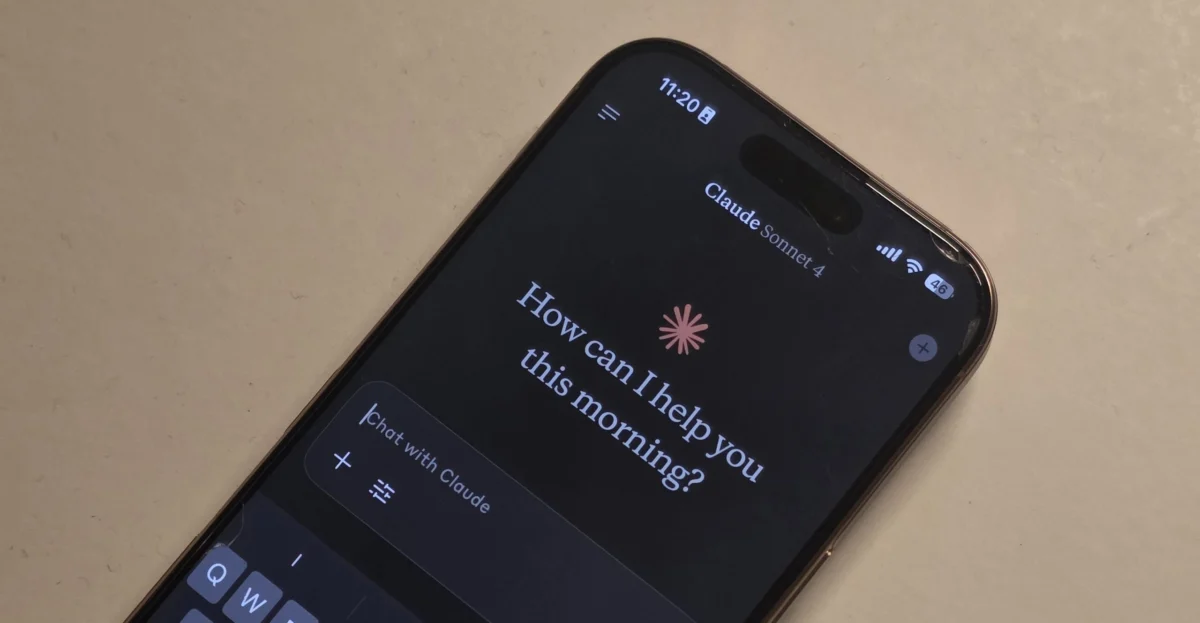
4. ChatGPT: The Conversational Engine
The ChatGPT app has evolved into a versatile companion. Beyond generating text, its voice interaction and image analysis capabilities allow you to troubleshoot technical errors or draft professional emails on the fly. It is a powerful tool for brainstorming, provided you treat its output with a healthy dose of verification.

5. Google Gemini: Native Android Intelligence
Gemini is not just an app; it is a system-level evolution. By replacing the traditional Google Assistant, Gemini offers deep integration with your phone’s hardware and your personal Google account. It can summarize emails, pull information from your calendar, and control smart home devices with a level of context that older assistants lacked.
Privacy and Security: Safeguarding Your Digital Footprint
6. Bitwarden: The Gold Standard for Credentials
Password fatigue is a security vulnerability. Bitwarden solves this by generating, storing, and autofilling complex credentials across all your devices. Its support for passkeys ensures you are future-proofed as the web shifts away from traditional passwords.

7. Signal: Private Communication
In an era of data harvesting, Signal remains the uncompromising choice for private messaging. With robust end-to-end encryption for text, voice, and video, it ensures that your conversations remain yours. The addition of username support adds a layer of anonymity, as you no longer need to share your phone number to connect.
8. Proton VPN: Secure Tunneling
Public Wi-Fi is a necessity, but it is also a risk. Proton VPN provides a reliable, secure tunnel for your traffic. Their commitment to a "no-logs" policy and the inclusion of a high-speed free tier makes it our top pick for users who prioritize digital anonymity without needing a complex configuration.

Utility and Customization: Making Android Yours
9. Niagara Launcher: The Minimalist’s Choice
If you are tired of a cluttered home screen, Niagara Launcher is the cure. By replacing the standard grid with an elegant, alphabetical list, it makes one-handed operation effortless. It is a fundamental shift in how you interact with your phone, prioritizing speed and clarity over flashy widgets.
10. Tasker: The Automation Engine
Tasker is the ultimate power-user tool. It allows you to create "profiles" that trigger actions based on context—such as turning on Do Not Disturb when you arrive at work or automatically enabling Wi-Fi when you reach home. While the learning curve is steep, the payoff is a phone that anticipates your needs.

11. LocalSend: Seamless File Transfers
Transferring files from Android to a PC shouldn’t require a cloud service. LocalSend uses your local network to fire files between devices instantly. It is open-source, secure, and compatible across Windows, macOS, Linux, and Android.
12. Solid Explorer: The Advanced File Manager
Android’s native file manager is fine for basics, but Solid Explorer is built for power. Its dual-pane layout makes moving files between cloud storage (like Google Drive or Dropbox) and local folders intuitive and fast.

Creative Tools for Photography and Design
13. Snapseed: Precision Editing
Owned by Google, Snapseed is a professional-grade photo editor that costs nothing. It supports RAW file processing, selective adjustments, and non-destructive editing. It is the perfect bridge between a simple mobile snapshot and a professional-looking photograph.
14. Canva: Design on the Go
Whether you need a quick Instagram story, a presentation deck, or a flyer, Canva’s mobile app is remarkably capable. Its vast library of templates allows you to produce high-quality visual content without needing a desktop graphics suite.

Media Consumption and Lifestyle
15. Pocket Casts: The Podcast Command Center
For audio enthusiasts, Pocket Casts offers the best listening experience. Features like "trim silence" and variable playback speeds are essential for keeping up with lengthy podcasts. Its synchronization across Wear OS and Android Auto ensures your media follows you everywhere.
16. Poweramp: High-Fidelity Audio
For those who still maintain a local library of high-resolution audio files, Poweramp remains unrivaled. Its granular equalizer and support for virtually every audio format make it the preferred choice for audiophiles who demand control over their sound.

17. Libby: The Digital Library
Libby is perhaps the most underrated app on this list. By connecting your local library card, it grants you access to thousands of ebooks and audiobooks for free. It is a powerful reminder that the best resources are often already available through your local community services.
18. Waze: Real-Time Traffic Intelligence
While Google Maps is superior for general navigation, Waze wins on community-driven data. Real-time reports on speed traps, accidents, and road hazards make it the definitive tool for daily commuters who need to avoid traffic bottlenecks.

19. JustWatch: The Streaming Search Engine
Stop jumping between Netflix, Hulu, and Max to find where a movie is streaming. JustWatch aggregates availability across all services, saving you time and helping you track your "to-watch" list in one unified dashboard.
20. Caliber: Data-Driven Fitness
Fitness is about consistency, and Caliber is built to track it. Unlike generic step counters, it is designed for strength training. By logging sets, reps, and progress over time, it provides the data you need to ensure you are actually getting stronger, not just moving more.

Frequently Asked Questions (FAQs)
Q: Should I install all 20 of these apps?
A: Absolutely not. The goal is to install the tools that solve the specific problems you face. If you don’t lift weights, you don’t need Caliber. If your stock launcher works for you, there’s no need to switch.
Q: Are these apps safe?
A: We prioritize apps with long-standing developer trust and transparency. However, always download apps directly from the Google Play Store and check permissions during installation.

Q: Do I really need to pay for subscriptions?
A: Many of these apps offer free versions that are more than enough for the average user. We recommend testing the free tier first; only upgrade to a paid subscription if you find yourself hitting usage limits or needing a specific, gated feature.
Final Thoughts: The Evolving Android Experience
Your smartphone is a tool—one that should be shaped by your habits, not the other way around. By integrating these 20 applications, you move away from the generic "factory" experience and toward a bespoke digital environment. Whether you are using the latest flagship or a budget-friendly device, the right software stack ensures that your phone remains a powerful extension of your goals and creativity.

 Sagoh
Sagoh
 Nana Wu