
 Basiran
In the crowded landscape of digital communication, the graveyard of defunct messaging apps is vast. For every success story, there are hundreds of platforms that promised to revolutionize how we connect, only to fade into obscurity. In the world of instant messaging, an app’s survival is dictated by a simple, brutal metric: the network effect. A messaging app is only as useful as the people currently using it, and most contenders fail to cross that critical threshold of mass adoption.
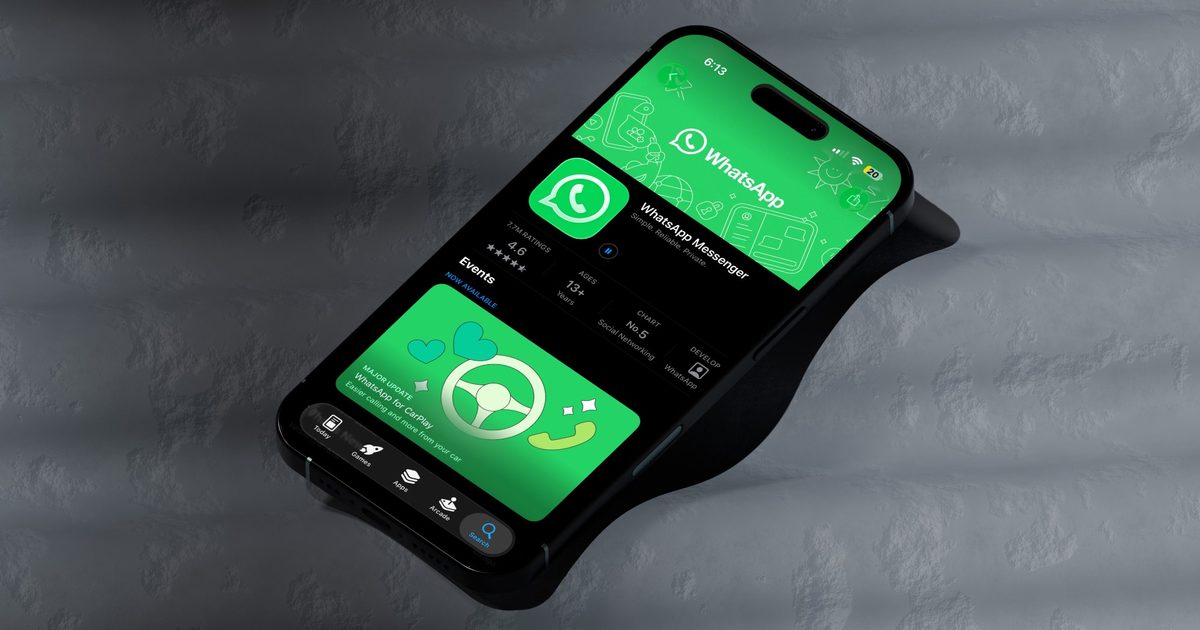
WhatsApp, however, stands as the notable exception. What began in 2009 as a niche experiment by two former Yahoo engineers has morphed into the global default for digital interaction. With over 3 billion monthly active users and more than 5 billion installations on the Google Play Store, it has transcended its origins as a mere SMS replacement to become the essential backbone of cross-platform global communication.
The Evolution of a Giant: A Chronology
The story of WhatsApp is one of strategic evolution and rapid scaling. Founded in early 2009 by Brian Acton and Jan Koum, the platform was conceived as a lightweight, reliable alternative to the cumbersome and expensive SMS systems of the time.

- 2009: WhatsApp launches, focusing on status updates that allowed users to see if their contacts were available or busy.
- 2010–2013: The platform experiences hyper-growth. By the end of 2013, the user base had ballooned to 400 million, proving that the demand for a cross-platform, internet-based messaging solution was insatiable.
- 2014: Facebook (now Meta) acquires WhatsApp in a landmark deal worth $19 billion. This acquisition provided the financial and infrastructural backing to sustain global scale.
- 2016: WhatsApp eliminates its subscription fee, pivoting to a "free for all" model. This move removed the last barrier to entry for users in developing markets.
- 2020–Present: The platform introduces enterprise features, such as WhatsApp Business and Channels, signaling a shift toward monetization through commercial integration rather than traditional advertising.
The Technological Underpinnings: Why WhatsApp Won
The primary driver of WhatsApp’s dominance is its platform-agnostic nature. Unlike Apple’s iMessage, which remains largely siloed within the iOS ecosystem, or Google’s historical struggle to unify its messaging services, WhatsApp was built to be interoperable. Whether a user is on an Android device, an iPhone, a Windows PC, or a Mac, the experience remains consistent.

Beyond Plain Text
SMS technology, which dates back to the 1980s, is inherently limited. It restricts users to 160 characters and lacks native support for rich media, read receipts, or typing indicators. WhatsApp bypassed these limitations by utilizing data connections (Wi-Fi or cellular data) to deliver a "rich" messaging experience. By supporting high-resolution media sharing, document transfers, and group chats of up to 1,024 participants, it turned the smartphone into a versatile communication hub.
The Power of Simplicity
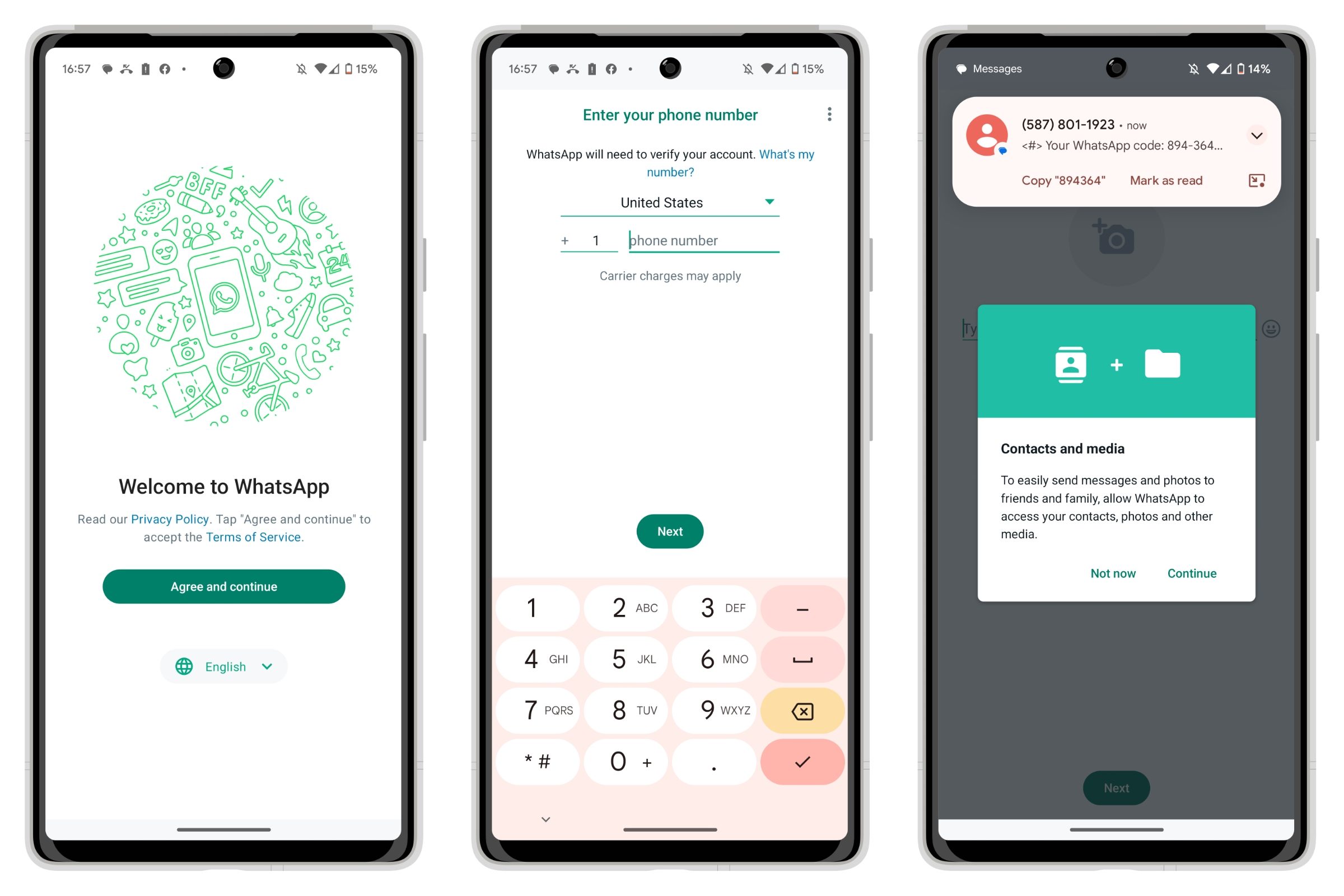
Much of the app’s appeal lies in its low friction. There are no usernames to forget and no complex profile setups to navigate. By tying the account directly to a mobile phone number, WhatsApp created an immediate, verifiable link to a user’s identity. This approach effectively replicated the ease of SMS while providing the feature set of a sophisticated cloud-based messenger.
Data Security and Encryption Standards
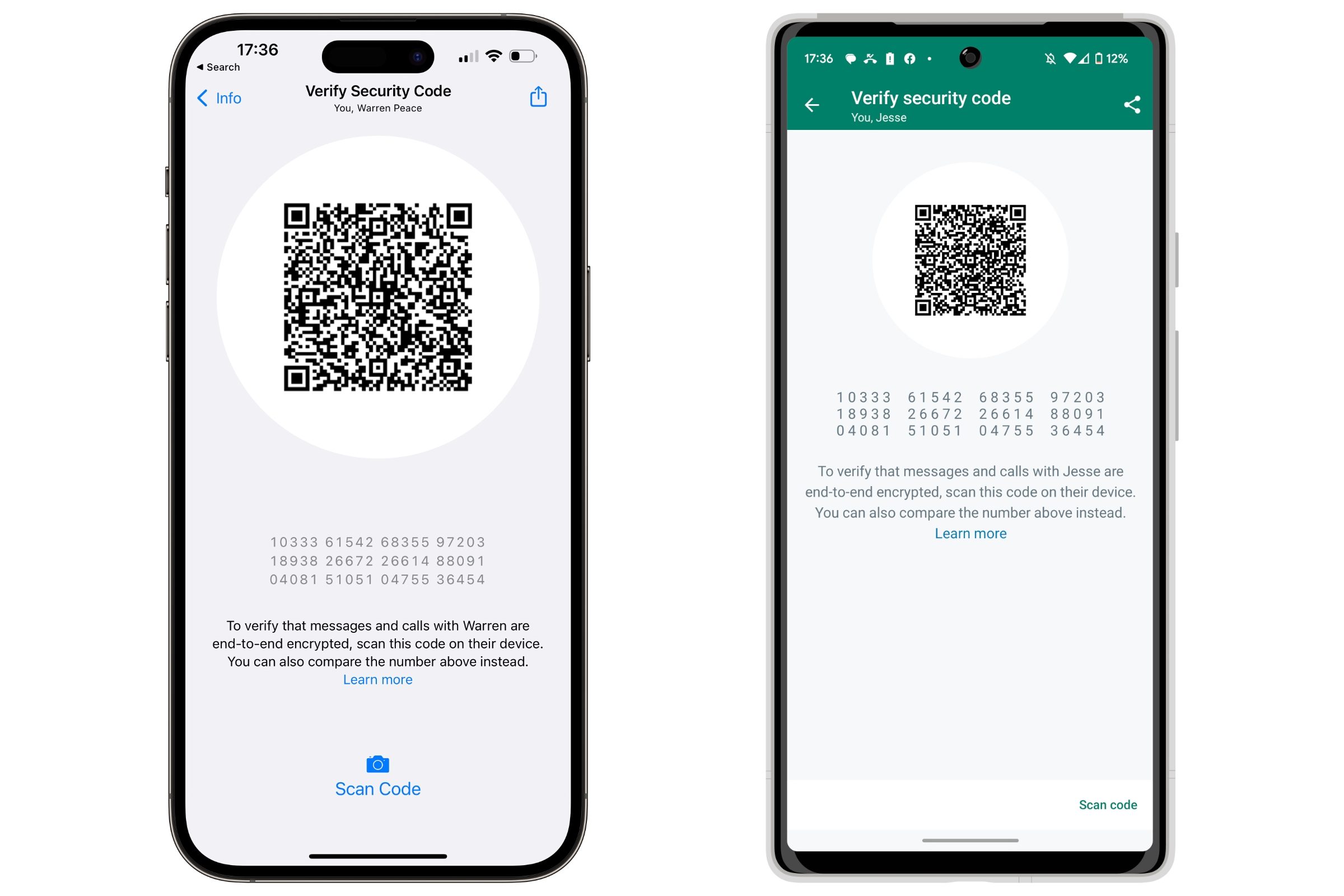
In an era of heightened surveillance and data privacy concerns, WhatsApp has doubled down on its commitment to security through end-to-end encryption (E2EE). This protocol ensures that messages, photos, videos, and calls remain accessible only to the sender and the recipient. Not even Meta, the parent company, can intercept or read the content of these communications.

Users can verify this security independently. By selecting the "Encryption" option within a contact’s info screen, users are presented with a unique 60-digit security code or QR code. If this code matches the one on the recipient’s device, the connection is mathematically confirmed as secure. Furthermore, Meta has expanded these protections to include cloud backups, allowing users to encrypt their chat history stored in Google Drive or iCloud.
Implications: The Shift Toward Monetization
While WhatsApp remains free for the end user, its role within the Meta ecosystem is shifting. The company is actively integrating commercial elements to generate revenue. WhatsApp Business, for instance, allows companies to engage directly with their customer base, with Meta charging fees based on conversation volume.
The introduction of "Channels" and the subtle inclusion of advertisements in the "Status" section suggest a future where WhatsApp is not just a utility, but a marketplace. For the average user, this raises questions about the long-term balance between a seamless, ad-free experience and the platform’s commercial ambitions.

Mastering the Platform: Tips for Power Users
Despite its simplicity, WhatsApp hides several features that can significantly improve the user experience.
1. Managing Digital Clutter
The rise of business-initiated messages can quickly inundate one’s inbox. Rather than deleting these, users can "Archive" them. By swiping right-to-left and selecting Archive, these threads are moved to a secondary folder, keeping the main view clear for personal conversations.
2. High-Quality Media Sharing
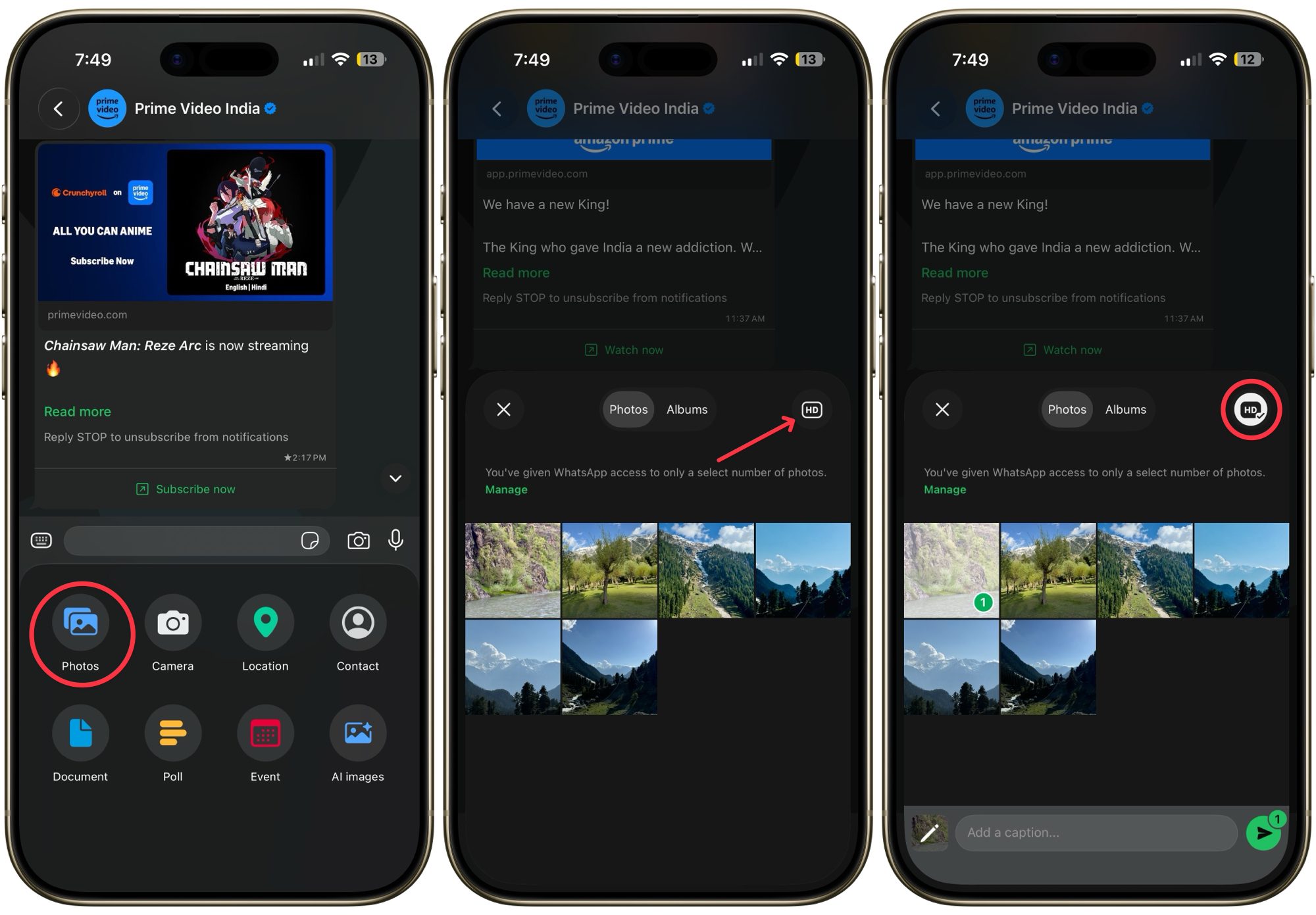
By default, WhatsApp compresses images to save bandwidth. However, users can now toggle "HD Quality" before sending a photo or video. For those who share high-quality media frequently, this can be set as a default in Settings > Storage and Data > Upload Quality.

3. Granular Privacy Controls
Privacy is a major concern, and WhatsApp offers tools to mitigate social pressure. Users can navigate to Privacy Settings to hide their "Last Seen" and "Online" status, as well as turn off "Read Receipts." While this prevents you from seeing others’ status, it provides a crucial layer of control over your digital availability.

4. Triage via Custom Alerts
For high-priority contacts, users can assign custom notification tones. By tapping the contact name within a chat and navigating to Notifications, one can set unique alerts for family or colleagues, allowing for immediate triage without needing to check the screen constantly.

5. Ephemeral Security
For sensitive information, the "One View" feature is essential. By tapping the "1" icon before sending a photo, the image is set to disappear immediately after the recipient opens it, adding a layer of security for temporary information sharing.
Conclusion: A Digital Utility
WhatsApp has moved beyond the status of a "messaging app" to become a fundamental digital utility. Its ability to maintain a balance between accessibility, cross-platform stability, and robust security has made it an indispensable tool for billions. As Meta continues to evolve the platform, the challenge will be to maintain that user trust while navigating the complexities of modern digital commerce. For now, however, it remains the gold standard for how we interact in the digital age—simple, efficient, and increasingly, essential.

 Sagoh
Sagoh
 Asep Darmawan